.png)
Overview
This project was completed as part of the IBM AI for UX Design certification course, The Future of UI/UX Design Using Generative AI.
The goal of the project was to explore how generative AI tools can support the full UX workflow, from research synthesis and persona development to wireframing, prototyping, and conversational interface design.
In this scenario, I worked as a UX design consultant for an e-commerce platform experiencing high checkout abandonment. Using customer survey responses, interview notes, and user stories, I analyzed the causes of friction in the checkout process and redesigned the experience using a combination of user-centered design principles and AI-powered design tools.
The final outcome was an AI-enhanced checkout flow designed to reduce friction, increase transparency, and guide users more smoothly through purchase completion.
Problem
The company identified a major issue: customers were abandoning their carts during checkout.
Research revealed several recurring frustrations:
- confusing checkout layouts
- unexpected fees appearing late in the process
- unstable forms that reset user input
- poor mobile usability
- slow checkout forms and confirmation feedback
These issues created friction at the most critical stage of the customer journey: completing a purchase.
With the holiday season and flash sales approaching, the company needed a redesigned checkout experience that would reduce friction and improve conversion.
My Role
I led the end-to-end design process, using generative AI tools alongside traditional UX methods to analyze research data, generate personas, map the customer journey, and design a redesigned checkout flow.
Tools
AI & UX Tools used throughout the workflow:
- ChatGPT
- UXPilot
- Visily
- Uizard
- Voiceflow
- Figma Make
Generative AI tools were used as design collaborators, helping accelerate research synthesis, ideation, and prototyping while maintaining a human-centered design process.
UX Process
The project followed a seven-step UX workflow, integrating generative AI at each stage.
1. Research Synthesis
Customer surveys, interviews, and user stories were analyzed to identify the root causes of checkout abandonment.
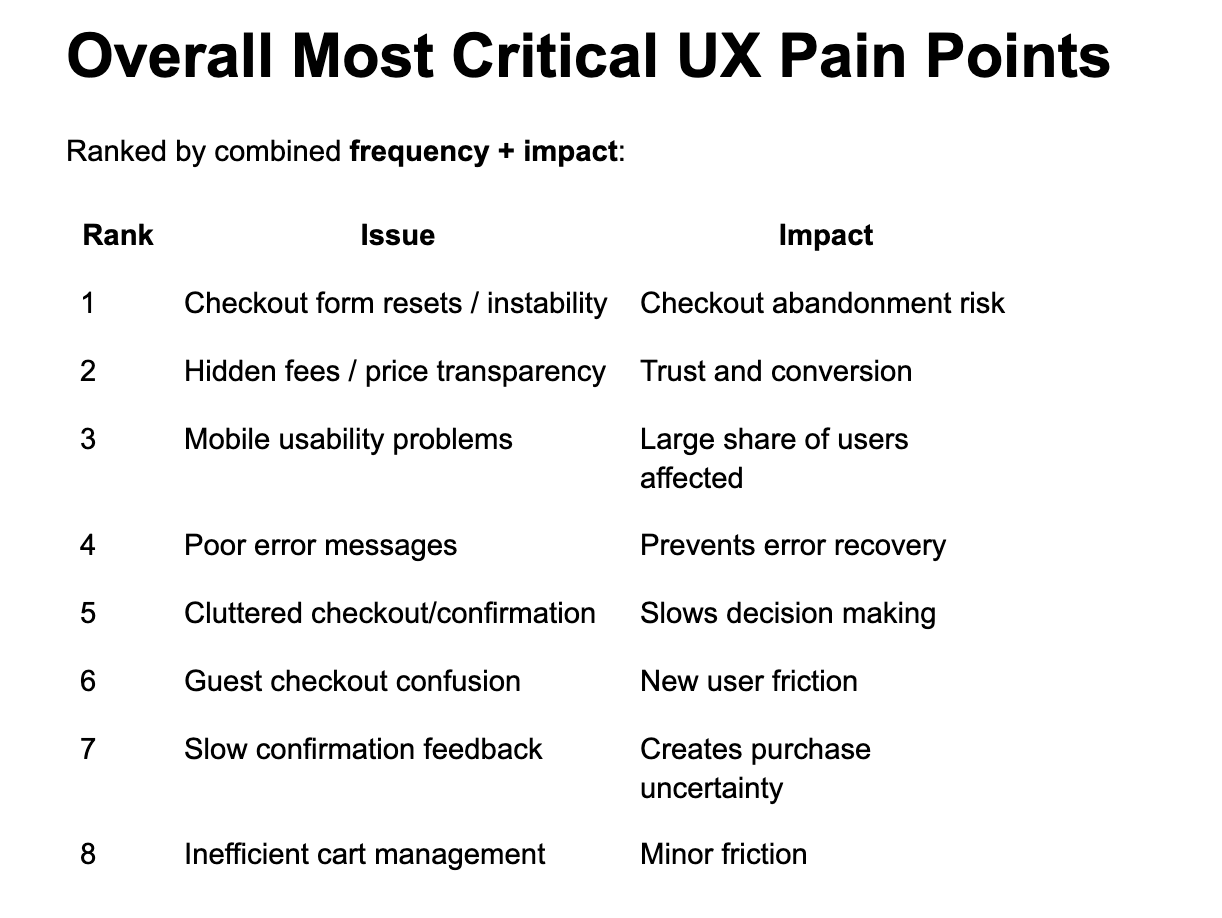
AI-assisted analysis helped cluster feedback into key categories of user frustration and rank issues by severity and frequency.
The most critical problems included:
- unstable checkout forms that reset user input
- hidden shipping fees revealed late in the process
- small touch targets and poor mobile usability
- unclear error messaging
- cluttered checkout and confirmation pages
These findings established the foundation for the design improvements.
2. User Personas
Two primary user personas emerged from the research:
Mobile Convenience Shopper
A mobile-first user who values speed and efficiency and quickly abandons purchases if the checkout process becomes frustrating.

Careful Planner Shopper
A detail-oriented shopper who prioritizes transparency, reviewing costs and order details before committing to a purchase.

These personas helped guide design decisions around speed, reliability, and pricing transparency.
3. Customer Journey Mapping
A customer journey map was created to visualize the entire shopping experience:
Browsing → Add to Cart → Checkout → Payment → Confirmation → Post-Purchase
The emotional journey revealed that the largest drop in user confidence occurs during checkout and payment, where most friction appears.
Key opportunities identified included:
- stabilizing checkout forms
- improving mobile usability
- displaying pricing earlier
- simplifying checkout layouts
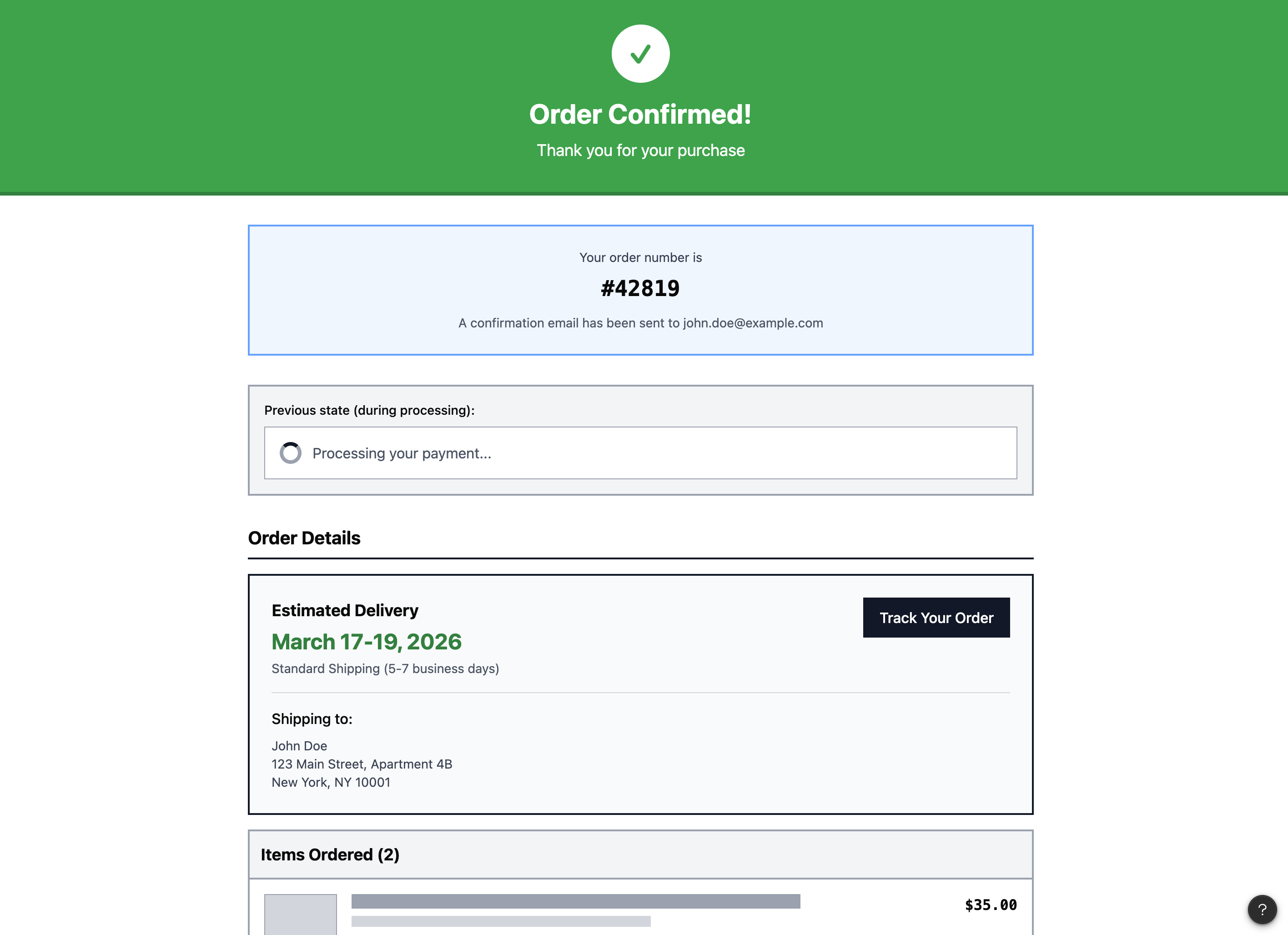
- improving confirmation feedback

4. Checkout Features & UX Opportunities
Based on the identified pain points, several design solutions were proposed.
Key improvements included:
Persistent Form Inputs
User information is automatically saved to prevent data loss during checkout.
Upfront Pricing Transparency
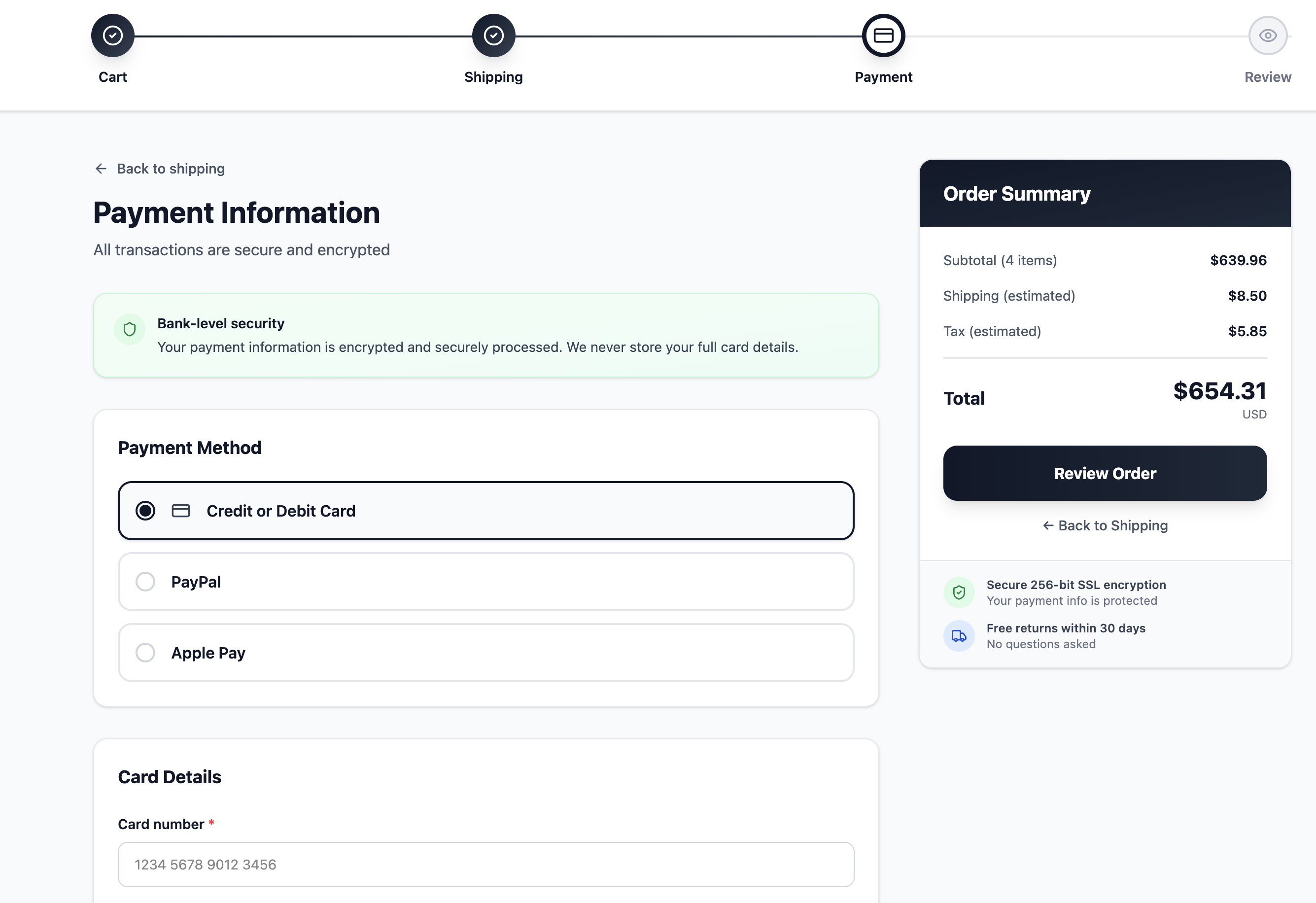
Taxes and shipping estimates are displayed earlier in the checkout process to build trust.
Mobile-First Checkout Design
Larger touch targets and simplified layouts improve usability on mobile devices.
Clear Error Messaging
Error messages clearly explain what went wrong and how users can fix the issue.
Simplified Checkout Review
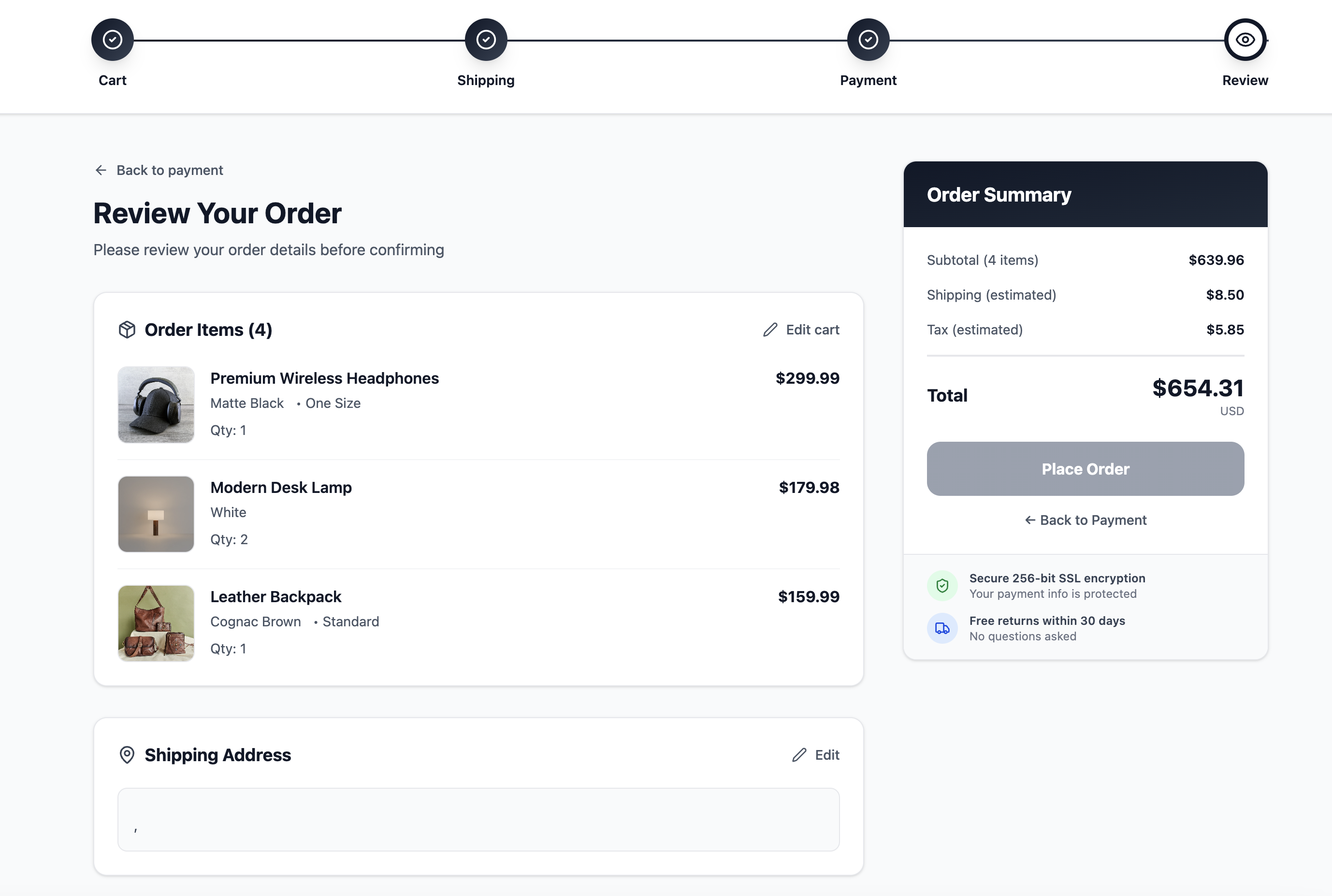
Progressive disclosure reduces clutter and highlights essential order details.
5. Prototyping
Using AI-assisted design tools, user stories were converted into low-fidelity checkout wireframes representing the full checkout flow.
Link to wireframes: https://www.figma.com/make/bKf5jnVfaWDwaGkvl0fjpu/Create-Checkout-Wireframe?t=ahz7GvqRtZRjh1XA-20&fullscreen=1
These prototypes illustrated:
- user interactions
- screen layouts
- checkout progression
- form structure and navigation
The screens were connected into a logical user flow aligned with the customer journey map.

6. Layout Evaluation & Iteration
The initial wireframes were evaluated and refined to improve usability and visual clarity.
Design improvements focused on:
- clearer button placement
- improved readability and typography
- better spacing and layout hierarchy
- smoother checkout progression
The goal was to create a checkout flow that guides users naturally through each step with minimal friction.
Link to prototype: https://www.figma.com/make/EVXuqhBtr6rQ2OJb0BKnIn/Enhance-checkout-experience?t=bV4100909RVpylOR-20&fullscreen=1

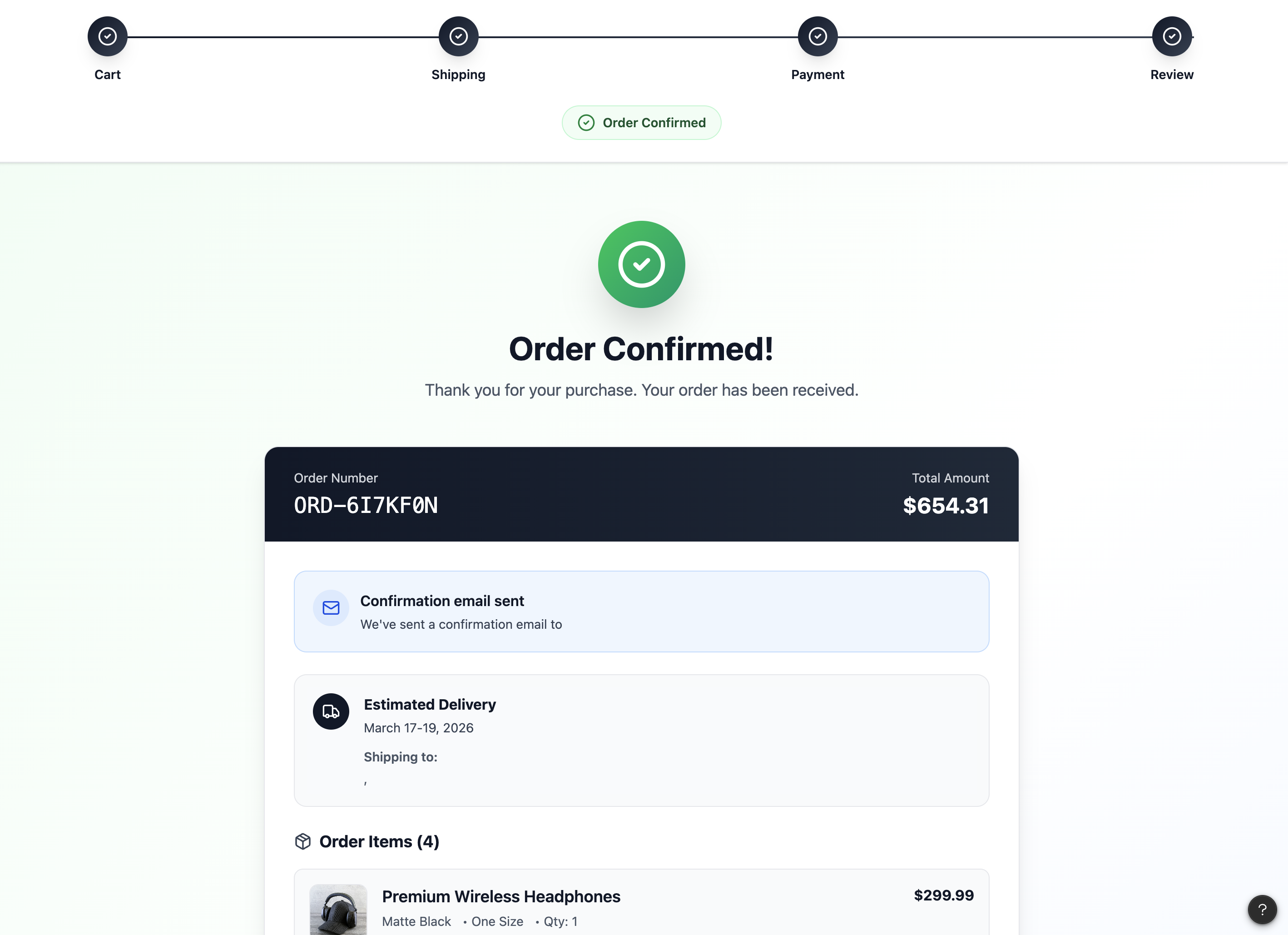
7. Conversational Checkout Assistant
To further reduce friction during checkout, a conversational AI assistant was designed to support users in real time.
The assistant helps users with:
- applying coupon codes
- resolving payment errors
- understanding pricing details
- tracking orders after purchase
This conversational UX feature helps users complete checkout without leaving the flow or searching through help pages.
Link to prototype: https://www.figma.com/make/ZwLOlJg5cJNLpF1jCb9pfz/Conversational-Checkout-Flow?t=74KAM4276bM9wn6M-20&fullscreen=1

Key Takeaways
This project demonstrated how generative AI can enhance the UX design process when used as a collaborative design partner.
AI tools helped accelerate:
- research synthesis
- persona creation
- journey mapping
- wireframe generation
- design iteration
However, human interpretation and user-centered thinking remain essential for turning insights into meaningful design solutions.
By combining AI tools with traditional UX methodology, designers can work faster while still delivering thoughtful, user-focused experiences.